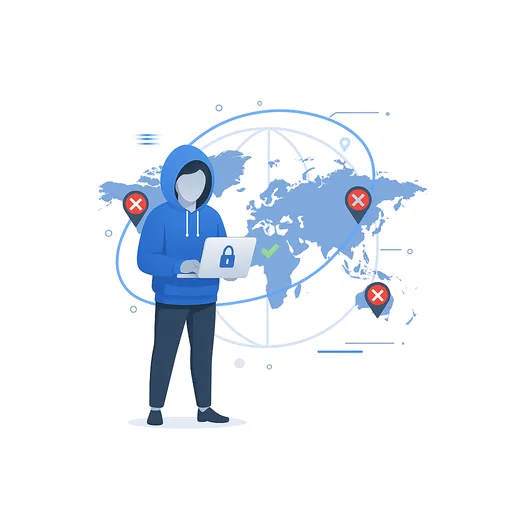
A world map with blocked location pins and one region allowed

Geo-unblocking

Unblock websites blocked in your country

Open the page from 6 countries instead of your own. The site is fetched from there, so it serves you what it serves a reader in that country. Free, in the browser you already have.

  • No account
  • Nothing to install
  • No VPN app
  • Free

Why it is blocked

Four reasons a page refuses you

They look identical from the outside and they are not the same problem. Browsing in from another country solves two of them outright, one partly, and one not at all.

Licensing and broadcast rights

The commonest by far. A broadcaster holds the rights to a match, a show or a catalogue in one set of countries and is contractually required to turn everyone else away. Nothing is wrong with your connection: the page checks where the request came from and stops there.

Solved. The request arrives from a country on the list, so the check passes.

Regional editions and pricing

Not a wall so much as a different shop. The same address quietly serves a different catalogue, a different currency, different delivery options and often a different price, decided from your location before the page is even built.

Solved. You get the edition that country gets, and can open a second session elsewhere to compare.

Blocks applied where you live

A country or an internet provider prevents a site being reached at all. Here the block sits between you and the site rather than at the site itself, which makes it a different shape of problem.

Partly. The site is fetched somewhere else, so it never sees the restriction. Your device still has to be able to reach us.

The network you are sitting on

A school, an office or public wifi filtering what its own network can open. Often the reason people go looking for a VPN and find they cannot install one on a managed machine.

Not this one. If that network blocks our address too, nothing in the browser can route around it.

Countries

Six places to browse in from

Pick one before you start and the page is fetched from there. A session runs from a single country, so comparing two means opening a second session.

USA

/us/

The widest catalogues and the largest number of services that assume an American visitor.

UK

/uk/

British broadcasters, domestic sport coverage and news that stops at the border.

Germany

/de/

German-language media, and the strictest of the European privacy and consent regimes.

France

/fr/

French broadcasters and retailers, and pricing set for the French market.

Netherlands

/nl/

A well-connected European exit, useful when a site wants an EU visitor rather than a specific one.

Hong Kong

/hk/

The only exit outside Europe and North America, and the one to try for Asian markets.

Skip the form

Put the country code and the site in the address bar and the session opens on that page, from there, on the first click. Worth a bookmark for a site you check often.

openlibrenet.com/uk/example.com

Against a VPN

Why people stop reaching for the VPN

A VPN moves your whole machine to another country. That is more than the job needs, and it is the reason the job is often awkward.

A VPN

  • Routes everything on the device, including the things you wanted left alone
  • Needs an app or a system profile, which a managed or borrowed machine will not allow
  • One country at a time, so comparing two markets means disconnecting and reconnecting
  • Switching region drops the connection and whatever was mid-flight with it
  • Usually a subscription, and the free tiers are the ones sites recognise fastest

OpenLibreNet

  • Only the session you opened goes anywhere; the rest of the machine is untouched
  • Runs in the browser you already have, with nothing to install or configure
  • Open two countries in two tabs and read them side by side
  • Every session starts with an empty cookie jar, so a second market is a clean look
  • Free, with no account to create

None of which makes a VPN the wrong tool. When the whole machine needs to be somewhere else, or you want your traffic hidden from the network you are on, that is the job a VPN is built for and this is not. Where the fetch actually happens is set out in how it works .

What it is used for

Worth opening from somewhere else

Cases where the country the request comes from is the only thing standing between you and the page.

Local news and regional coverage

Plenty of outlets serve their reporting to their own country and turn everyone else away, or cut the story short. Reading it in from that country gives you what a reader there gets, which is the whole piece.

Prices in another market

Flights, software, hardware and subscriptions are often priced per country. Check from one, start a fresh session and check from another. Neither session has seen the other, so the second price is not a reaction to the first.

Your own site, from your customer

Geo-routing, translated copy, local currency, the consent banner that only appears in the EU. Loading your product from six countries takes minutes and finds things staging never will.

Market and competitor research

Adverts, landing pages and offers change by region. Seeing a competitor the way their local market sees them beats guessing from a screenshot in a deck.

Catalogues that stop at the border

A retailer that shows one range in its home market and a thinner one elsewhere, or hides a product entirely. The listing usually exists; it is the visitor that is being filtered.

Government and public services

Tax portals, registries and public archives that restrict access to domestic visitors. Useful when you have moved, are travelling, or need to read a country’s own published information.

Limits

What to expect before you rely on it

Geo-unblocking works well on pages and badly on some of the things people most want it for. Better to know which is which now.

Subscription video is the hardest case

The large streaming platforms spend real money detecting exactly this and defending against it, and their protected video does not sit comfortably in a session rendered elsewhere. Treat it as unlikely to work rather than a feature we are selling you.

Some sites refuse the session

A page that works hard to detect being rendered anywhere but its own tab can misbehave or refuse outright. Switching country clears it often enough to try twice before giving up.

Captchas turn up more often

Traffic from an address a site has not seen before draws more suspicion, so expect the occasional extra verification step on your way in.

Location is not only your address

Some sites also read the account you are signed into, the language you ask for, or a payment method on file. Arriving from the right country settles the first check and not always the rest.

Distance costs time

The page is fetched in the country you picked and then travels to you, on top of the rewriting itself. Browsing in from Hong Kong feels slower than browsing in from a neighbour.

Terms still apply to you

Reaching a page from another country does not rewrite the agreement you have with whoever runs it. What a service permits is between you and that service.

FAQ

Unblocking, answered

What it opens, what it does not, and what it costs.

How do I unblock a website without a VPN?

Open it through OpenLibreNet. You enter the address, pick one of six countries, and the page is fetched by a browser running there and delivered to your tab. There is no app, no system profile and no account, so it works on a machine where you cannot install anything.

Which countries can I browse from?

6 today: USA, UK, Germany, France, Netherlands, Hong Kong. You choose before the session starts, and a session runs from one country for its whole life. Browsing from a second means opening a second session, which starts with an empty cookie jar.

Does it work for streaming services?

This is the case it handles worst, and it is worth being blunt about. Large subscription video platforms invest heavily in detecting exactly this, and their protected video does not sit comfortably in a session rendered somewhere else. Reading and browsing work far better than watching.

Can I compare prices between two countries?

Yes, and it is one of the things it does best. Open one session, note what you are shown, close it and open another from a different country. The second browser has never seen the first, so no cookie from the earlier visit is shaping what you get.

Will the site know I am not really there?

It sees a request arriving from that country from a browser with no history, which is what a genuinely new visitor there looks like. Some sites also check the account you sign into or the payment method on file, and arriving from the right country does not answer those.

Is it free?

Yes. No account, no trial, no card. Surfly build the session technology underneath and sponsor the service, so there is no paid tier we are steering you toward.

My school or office network blocks the site. Will this help?

Only if that network still lets you reach us. The block there sits between your device and the wider internet rather than at the site, so if our address is filtered too, nothing running in the browser can route around it.

Is a page slower this way?

A little. The page is fetched in the country you picked, rewritten, then sent on to you, and distance adds to that. Text and images feel close to normal. Heavy web applications feel it more.

Open the page that turned you away

Paste the address, pick a country, and see what a reader there sees. Nothing to install and nothing to sign up for.

Start browsing